
Stop losing bookings to missed calls and paper diaries
Book a Table lets your guests reserve a spot 24×7 — no phone tag, no double-bookings, no surprises. You stay in control. They feel taken care of.
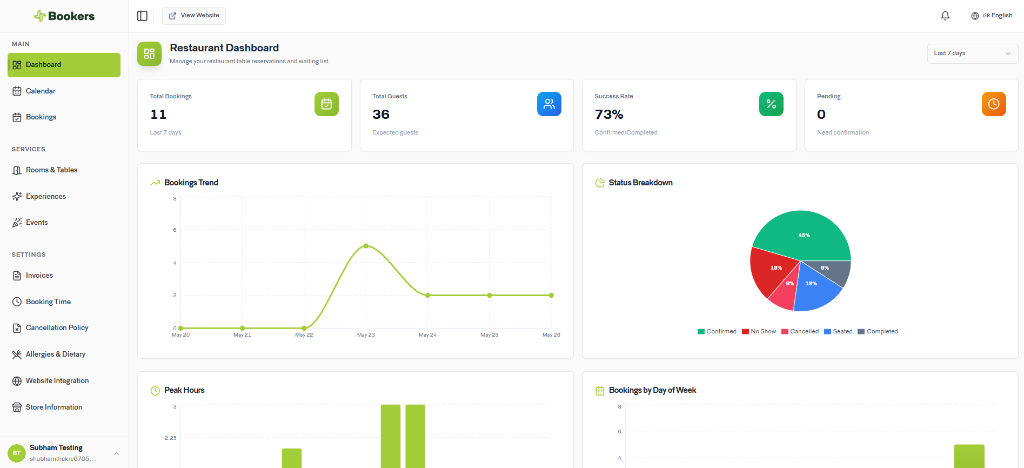
Results restaurants see after switching to Bookers
Real data from real restaurant partners — not projections.
0
more reservations compared to phone-only booking
0
fewer no-shows with deposits and reminders
24/7
availability — guests book even when you're closed
2 min
average time to complete a booking
Everything you need to take reservations online
No bolt-ons, no upsells. Every feature below ships with Book a Table.
Online table booking
Your guests pick a date, time, and party size right from your website or a shareable booking link. No calls, no waiting on hold.
Real-time availability
Guests only see open slots. When a table books up, it's gone instantly — no manual updates, no awkward 'sorry, we're full' calls.
Guest management
See who's coming, how many, and any special requests — all before service starts. Your front-of-house team walks in prepared.
SMS & email notifications
Automatic confirmations go out the moment a booking is made. Reminders fire before the reservation. Guests show up — or they reschedule early.
Advance deposits
Require a card hold or partial payment for larger parties or peak nights. Reduces last-minute cancellations and protects your revenue.
Cancellation policies
Set custom rules — free cancellation 24 hours out, a fee within 2 hours. Guests see it at booking. No disputes later.
Table scheduling
Map out your floor, set turn times, and let the system assign tables automatically — or override manually anytime.
Smart calendar management
View your full day, week, or month at a glance. Block off times, manage events, and handle walk-ins alongside reservations — all in one place.
Live in four steps — under 15 minutes
From zero to your first online booking in the time it takes to prep a mise en place.
Set up your table layout
Add your tables, set capacity, and define your opening hours. Takes about 10 minutes to get your first booking page live.
Share your booking link
Drop it on your website, Instagram bio, or Google listing. Guests click, choose a time, and confirm — done.
Automatic confirmations go out
The guest gets a confirmation via SMS or email right away. A reminder lands 24 hours before the reservation.
You manage everything in one calendar
Check arrivals, update bookings, add walk-ins, and block off time — from your phone or computer, anywhere.
"We used to lose bookings every weekend just because someone forgot to check the voicemail. Now the system handles it all. Our no-show rate dropped and the team actually has time to focus on guests."
Got questions? We've got answers.
helpDo guests need to create an account to book?
No. They enter their name, phone, and email — that's it. No app, no sign-up friction.
helpCan I take deposits without a full payment gateway setup?
Yes. We integrate with Stripe so you can start collecting card details in minutes. You only charge if a guest no-shows or cancels late.
helpWhat if I get a walk-in while the system is showing full?
You can always add a manual booking from your dashboard — it updates availability in real time so online guests see the correct status.
helpCan I set different rules for different days?
Absolutely. Friday dinner can have a 2-hour minimum, Sunday lunch can be deposit-free. Each service window has its own settings.
Ready to fill more tables — without the chaos?
Set up takes under 15 minutes. No card required to try it.
14-day free trial · No credit card required · Cancel anytime